The Problem
Writing a well-researched article takes hours, and turning it into LinkedIn and X posts takes more. Most teams publish less often than they want to, or fall back on AI content that reads as generic and unsourced.
What You'll Get
- Research on your topic from the live web, with sources you can check.
- A long-form article saved as a draft in WordPress, written in your house style.
- A LinkedIn post and an X thread based on the article, waiting for review.
How It Works
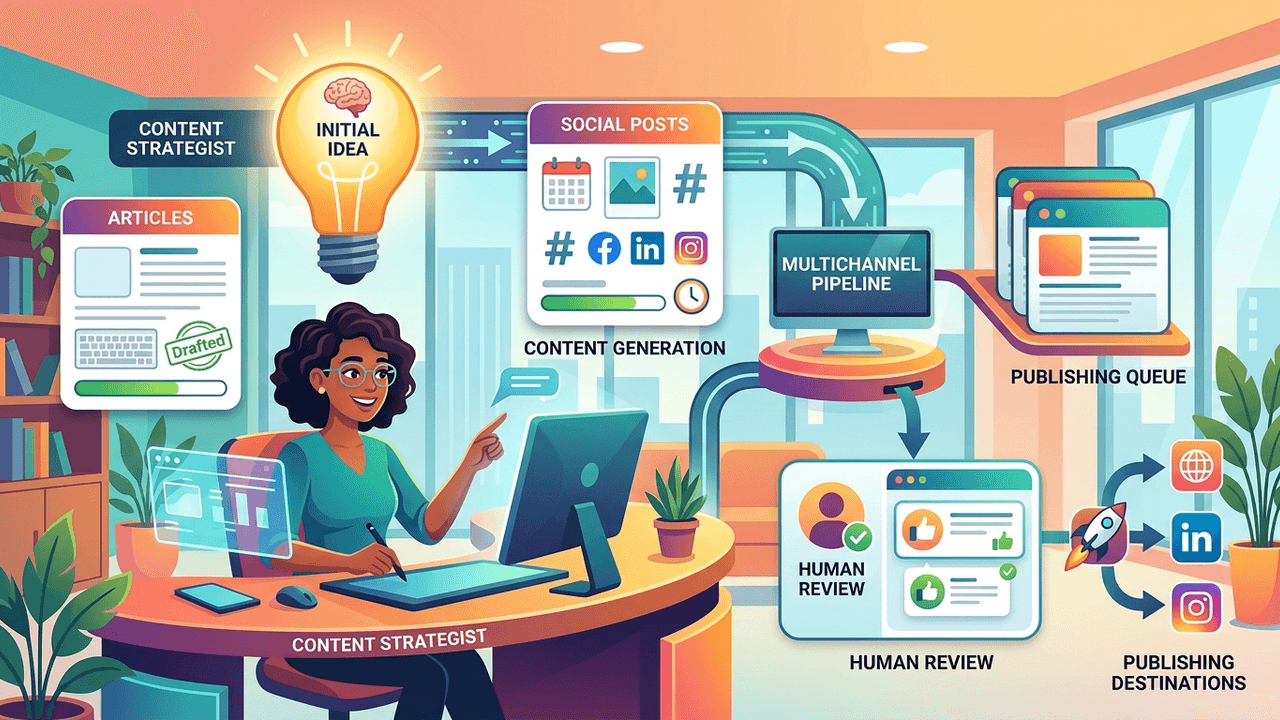
- You submit a topic or a link.
- Perplexity researches it and AI writes an article in your house style.
- AI turns the article into social posts, everything is saved as drafts and your editor is notified.
What You Need
- A Perplexity account for research
- An OpenAI account
- A WordPress site, or another place you publish articles
- A Slack workspace, if you want editor notifications
- An n8n account to run the workflow
- A weekend to set it up
Unlock the full step-by-step guide
Enter your email to see the setup steps and the copy-paste prompt. Your workflow file downloads straight away.
- Step-by-step setup
- Copy-paste prompt
- Workflow file to import
Workflow files used in this guide
Marketing & Content
Write Blog Posts in Your Brand Voice for WordPress
Learn your brand voice from existing articles, then generate new on-brand blog posts in WordPress.
Starts on: Run manually
OpenAIWordPress
Marketing & Content
Turn Perplexity Research into Publish-Ready HTML
Send a topic, research it with Perplexity, and get back a styled HTML article page.
Starts on: Incoming webhook
OpenAITelegram
Marketing & Content
Create and Schedule Branded LinkedIn Posts
Research topics with Perplexity, write LinkedIn posts in your voice, generate a branded image and publish on a schedule.
Starts on: Schedule
Anthropic ClaudeGoogle DriveGoogle Sheets+1 more